
Enterprise AI Accelerator Training

Sold out. Check our event schedule for additional dates and locations, or email help@nofluffjuststuff.com to join the waitlist.
Your ticket includes 10 virtual workshop credits ($4,250 value). Upcoming Workshops »
What You Will Learn
This intensive Enterprise AI training equips professionals with the knowledge and hands-on skills to use AI productively in everyday work. Participants gain a strong foundation in modern AI concepts, practical experience with leading tools and frameworks, and the ability to design and implement AI-driven solutions.
This course culminates in a capstone project, where attendees craft, assemble, and deploy a working AI application — a portfolio piece they can bring back to their organizations.
Why Companies Should Send Their Staff to This Training
Investing in this Enterprise AI training with Brent Laster is a direct investment in your organization’s future. Here’s why companies across industries should prioritize sending their teams:
Expert Leadership – Brent Laster’s deep expertise ensures staff learn best practices directly from a trusted industry leader who bridges theory and practice.
Immediate ROI – Employees return with skills to accelerate software development, improve efficiency, and apply AI to real-world business needs on day one.
Future-Proofing – As AI adoption accelerates, companies with trained staff will adapt faster to market shifts and technological disruption.
Capstone Deliverable – Each participant completes a working AI project, delivering tangible proof of capability that can be extended within your organization.
Hands-On Focus – The program dedicates significant time to labs and projects, ensuring practical skills—not just theory—are carried back to the workplace.
- World-Class Instructors
- Registration & Breakfast: 8AM - 9AM
- Training Schedule: 9AM - 5PM
- Lunch will be served: 12PM
- Attendance is Limited to 35
- Training Materials
- Hands-On Labs
- Certificate of Completion
- Breakfast and Lunch Daily
- NFJS Swag
Course Outline
Day 0 – Optional Virtual Prep - Friday - March 27 (2-5PM CT)
AI Concepts & Readiness (Half-Day)
Purpose: Ensure all participants start with a common vocabulary, conceptual grounding, and core AI knowledge.
AI Foundations (90 min)
- What AI really means for business
- Key concepts: AI, ML, Generative AI, inference, LLMs, prompting
- Business-relevant use cases
- AI myths and realities
AI Landscape & Environments (90 min)
- The spectrum: models, assistants, agents
- How we interact with AI: chatbots, IDEs, Python, APIs
- Staying current with rapid AI change
- What to expect in the 3-day bootcamp
Day 1 – Models & Retrieval-Augmented Generation (RAG) - In person
Purpose: Build fluency with AI models and how to extend them with your own business data.
Understanding AI Models (90 min)
- How LLMs work: embeddings, transformers, attention
- Model landscape: reasoning, frontier, open-source models
- Training, tuning, and parameters
Using AI Models (90 min)
- Finding, running, and qualifying models
- Hands-on: fine-tuning models for business contexts
Understanding RAG (90 min)
- Why models alone are not enough
- RAG explained and alternatives
- Vector databases and data pipelines
Applying RAG (90 min)
- Ingesting and parsing enterprise data
- Prompting templates and frameworks
- Hands-on: building agentic RAG with curated datasets
Day 2 – AI Agents & Model Context Protocol (MCP) - In-Person
Purpose: Learn to build AI agents that can reason, use tools, and connect to business systems.
AI Agents Part 1 (90 min)
- Motivations and use cases for agents
- What agents are and how they work
- Chain of thought, memory, data management
- Hands-on: creating an AI agent that leverages tools
AI Agents Part 2 (90 min)
- Multi-agent design patterns
- Using RAG with agents
- Hands-on: Creating an AI agent to process structured business data with canonical queries
- Future of AI agents in enterprise workflows
MCP Part 1 (90 min)
- What MCP is and why it matters
- MCP architecture, transports, features
- Frameworks for MCP implementation
- MCP clients and servers
- Hands-on: Building an MCP server and client and using them with an agent
MCP Part 2 (90 min)
- Connecting to MCP servers
- Common patterns and pitfalls
- Security and predictions for MCP adoption
- Hands-on: How to leverage and use public MCP servers in your AI processes
Day 3 – AI for Productivity & Capstone Project In-Person
Purpose: Apply AI directly to software development, collaboration, and real-world business scenarios. Build a complete working AI application as a capstone.
Accelerating the SDLC with GitHub Copilot – Part 1 (90 min)
- Copilot for planning, exploration, directives
- Hands-on: AI in planning, development, and bug-fixing
Accelerating the SDLC with GitHub Copilot – Part 2 (90 min)
- Advanced Copilot features (Agent Mode, Vision, Edit)
- Hands-on: testing, refactoring, documentation, onboarding
Capstone Project Part 1 (90 min)
- Designing an AI-powered application
- Choosing a model, prompts, MCP integration
- Hands-on: build the base app, MCP server, and agent
Capstone Project Part 2 & Wrap-Up (90 min)
- Hands-on: Adding RAG for local data
- Hands-on: Building a chat interface
- Hands-on: Hosting on a platform for shared use
- Wrap-up: presenting solutions, next steps for AI adoption
Why This Program Is Valuable to Businesses
- Immediate Productivity Impact: Employees return with skills to use AI in daily workflows, accelerating development, analysis, and communication.
- Future-Proofing Talent: Teams gain exposure to leading AI frameworks and practices, positioning your organization to adapt quickly as AI evolves.
- Capstone Deliverable: Each participant builds and deploys a functioning AI application they can demonstrate and extend at work.
- Hands-On & Practical: Significant course time in each session is dedicated to labs and project work.
Setup Requirements
You will need a userid on the public GitHub.com (not an enterprise instance). If you do not have a userid on the public GitHub.com site, you can sign up for a free one at https://github.com/signup.
Recommended setup: We will be doing labs in a GitHub Codespaces virtual environment. Here are the details to be aware of:
You have a set amount of free Codespace access per month in GitHub.
This environment runs in your browser and requires no installation on your own machine.
To verify that you can run the Codespace environment, you can try one out by going to https://github.com/techupskills/codespaces-check and follow the instructions in the README.md file in that repository.
Note that corporate VPNs or some firewalls may interfere with running in a Codespace.
If you encounter issues, try disconnecting from any corporate VPN while using a Codespace.
If you run into complications, you may want to try the check again on a personal laptop and see if that machine will work better for this.
Alternate setup: If you do the test above and the verification script reports that things are good, you are set. Otherwise, if you cannot run in a codespace, there is also a possibility to run this locally on your system using VS Code. Performance may vary with this option.
If you use this route, you will need to have these additional prereqs:
VS Code installed on your machine https://code.visualstudio.com/download)
Git (https://git-scm.com) install on your syste
The Dev Containers extension installed in VS Code. (https://marketplace.visualstudio.com/items?itemName=ms-vscode-remote.remote-containers)
Docker desktop or similar Docker environment (https://www.docker.com/products/docker-desktop/). See the System Requirements on the extension page (https://marketplace.visualstudio.com/items?itemName=ms-vscode-remote.remote-containers) for more Docker options.
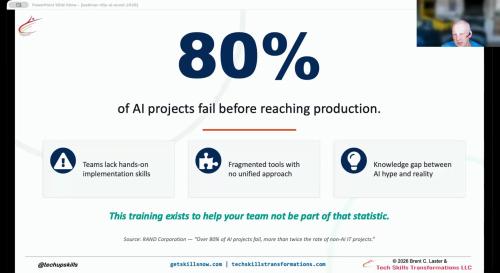
AI Accelerator Training Webinar - Preview
What is AI Accelerator Training all about? Watch this webinar with Brent to learn about this 3-day in-person training.
Brent Laster
Hi, I'm Brent Laster - a global trainer and book author, experienced corporate technology developer and leader, and founder and president of Tech Skills Transformations LLC. I've been working with and presenting at NFJS events for many years now and it is always exciting and interesting.
Through my decades in programming and management,I've always tried to make time to learn and develop both technical and leadership skills and share them with others Regardless of the topic or technology, my belief is that there is no substitute for the excitement and sense of potential that come from providing others with the knowledge they need to help them accomplish their goals.
In my spare time, I hang out with my wife Anne-Marie, 4 children and 2 small dogs in Cary, North Carolina where I design and conduct trainings and write books. You can find me on LinkedIn (linkedin.com/in/brentlaster), Twitter (@brentclaster) or through my company's website at www.getskillsnow.com.
